

This FAQ schema tutorial explains why some websites dominate Google results with expandable FAQs — while others don’t, even with good content.
FAQ Schema using Rank Math is one of the simplest yet most effective ways to improve search visibility and earn rich results in Google.
Adding FAQ Schema to your website pages is one of the simplest yet most powerful SEO enhancements you can make.
It helps search engines understand your content better — and the best part?
Your FAQs can appear directly in Google search results as rich snippets, instantly improving your visibility and click-through rate.
If you’re new to SEO, following a Beginner SEO Guide to rank on Google can help you understand how search engines evaluate and display structured content.
Important 2026 Update: FAQ Rich Snippets No Longer Appear in Google Search
Before you go any further, here’s something most tutorials on this topic still don’t tell you.
On May 7, 2026, Google officially deprecated the FAQ rich result. The expandable Q&A dropdown that used to appear directly under a search listing – the exact visual this tutorial is about – no longer shows up in Google Search, for any website.
Here’s the full timeline:
| Date | What Changed |
| August 2023 | Google restricted FAQ rich results to “well-known, authoritative government and health websites” – most sites lost eligibility |
| May 7, 2026 | Google removed FAQ rich results entirely, even for the government/health sites that had kept them |
| June 2026 | Google removed the FAQ search-appearance filter, the FAQ rich result report, and Rich Results Test support for FAQ |
| August 2026 | Search Console API support for FAQ rich result data is removed |
💡 So should you still bother with FAQ schema? Yes – but for a different reason than before. Google has confirmed that FAQPage structured data is still a valid Schema.org type, and that unused structured data doesn’t cause any problems for your SEO. It just won’t earn you the visible dropdown snippet anymore.
What it can still do: help search engines – and increasingly, AI answer engines like ChatGPT, Perplexity, and Google’s AI Overviews – parse your content more clearly and understand which questions your page directly answers. Note: Google has not confirmed FAQ schema improves AI citation odds. Treat that as a reasonable practice, not a guaranteed ranking or visibility win.
What this means for you practically:
✔️ Don’t remove existing FAQ schema – it isn’t hurting anything.
✔️ Don’t add FAQ schema only to chase the old rich snippet – that use case is gone.
✔️ Do keep FAQ schema where the questions are genuinely useful, visible on the page, and match your JSON-LD exactly.
✔️ Do treat this article as a guide to correct implementation and content clarity, not as a promise of a rich snippet.
Can FAQs Drive Immense Organic Traffic?
Well, the answer is yes.
FAQs can drastically boost your CTR.
This can be done through FAQ Schema Markup using the Rank Math SEO plugin.
The answer is as simple as it seems. FAQ Schema is the most popular markup that shouts to the search engines that your website is an FAQ page.
Most of you might have an FAQ page on your website, which is common, but using the FAQ schema actually boosts your ranking in the SERPs.
💡 Why this matters for beginners:
Even small blogs with low authority can win rich snippets using FAQ schema — without backlinks or ads.
To get a deeper understanding of structured data’s effect, you can also explore our Answer Engine Optimization (AEO) Guide.
Table of Contents:
What Is FAQ Schema?
The FAQ (Frequently Asked Questions) schema is a type of structured data markup that is added to the website’s HTML to make it appear as a rich snippet in search engines, displaying those FAQs and answers more frequently for the users.
The FAQ schema helps websites to enhance their presence in search results and drive more traffic.
Why FAQ Schema Is Important For SEO
FAQ Schema is a significant SEO tactic, as this makes it easier for search engines to comprehend the information on your FAQ pages.
Giving search engines relevant information about the FAQs on your page is the purpose of FAQ Schema.
| Without FAQ Schema | With FAQ Schema |
|---|---|
| Plain blue links | Rich FAQ dropdowns |
| Lower CTR | Higher click-through |
| Less SERP space | More SERP real estate |
| Harder for AI to understand | AI-friendly & structured |
FAQ Schema Tutorial
Below is a comprehensive FAQ Schema tutorial providing you with details about:
✔️ How to use the FAQ schema markup on your website
✔️ What FAQ Schema can accomplish
Do not feel overwhelmed!
We have detailed out from scratch on how to implement FAQ Schema using Rank Math SEO Plugin quickly and easily.
Now that you understand why FAQ schema matters, let’s implement it step by step using Rank Math.
Step-by-Step Guide on How to Implement FAQ Schema Using the Rank Math SEO Plugin
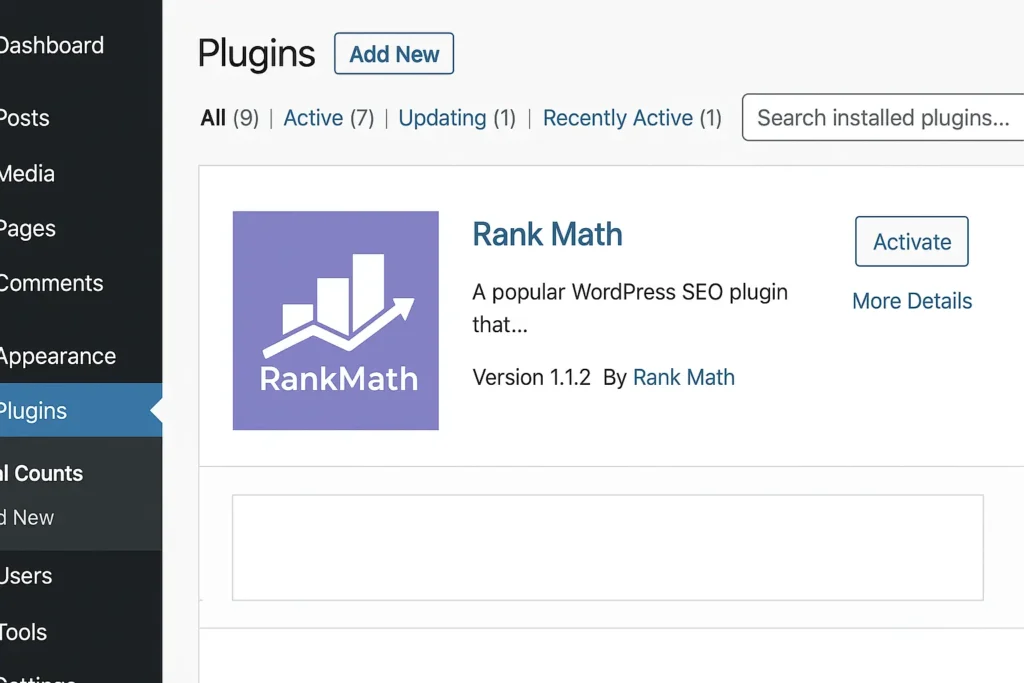
Step 1: Install and Activate Rank Math
- Open the WordPress dashboard
- Navigate to Plugins and select Add New
- Search for Rank Math
- Install and activate the plugin
Step 2: Enable the FAQ Schema Module
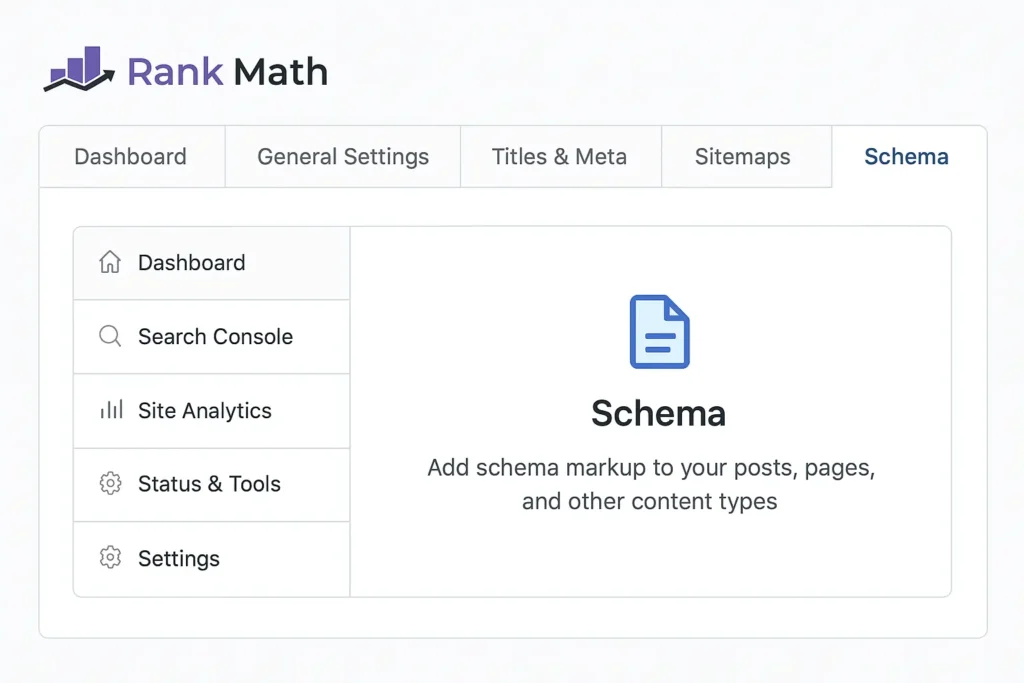
- Go to the Rank Math plugin and choose the dashboard
- Select the Schema module and activate it
Step 3: Edit your post and add FAQ markup
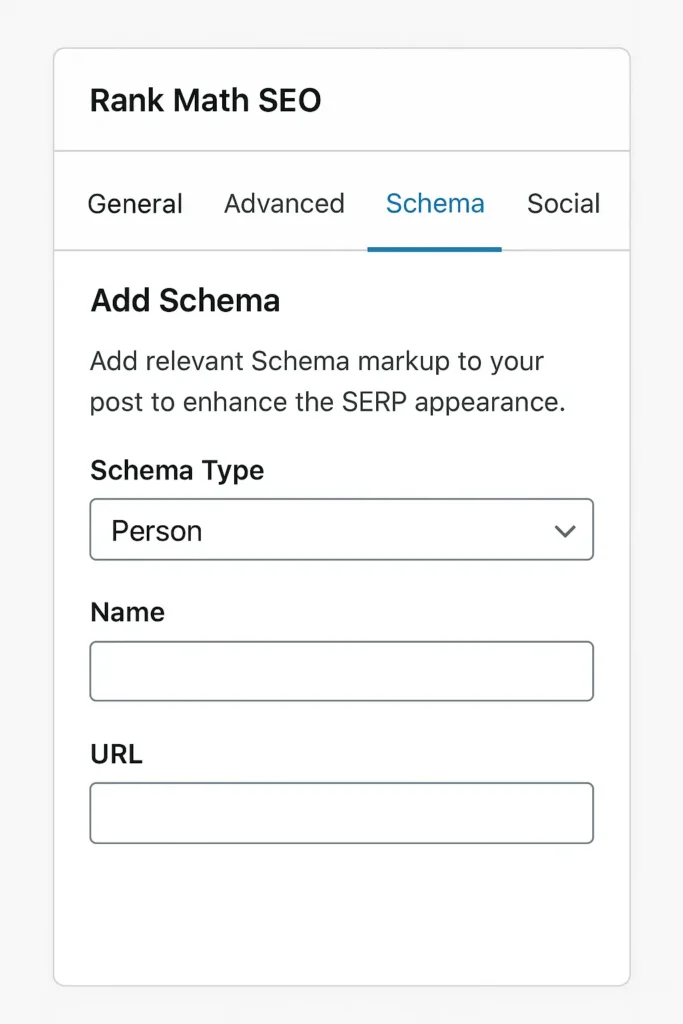
- Select the post where you want to add the FAQ schema
- Then click Rank Math SEO meta box
- Click on Add Schema from the Schema tab
- From the list of schema types, select and add FAQ markup
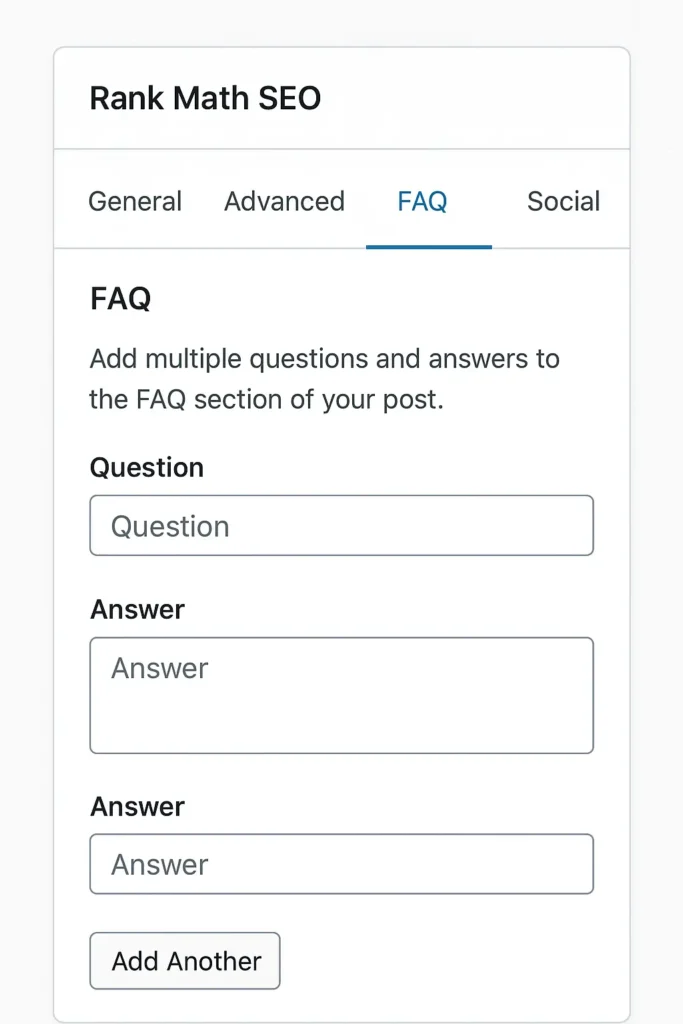
Step 4: Enter all your FAQs
- You will see fields to add questions and answers
- Click Add question to enter each FAQ
- Enter the question and answer
- Repeat for all your FAQs
Step 5: Verify your FAQ Schema
- After adding all the FAQs, save or update the post.
- Use the Schema Markup validator or tools like Google’s Rich Results Test to verify.
- Enter the URL of your page and verify whether your FAQ Schema appears correctly
Implementing The Best FAQ Schema
The main factors in implementing the FAQ Schema are:
Best practices for structuring FAQ content
✔️ Creating an FAQ section that addresses user pain points and targets PAA (People also ask) questions.
A clear and consistent blog structure for SEO also helps search engines understand how your FAQs fit within the overall page content.
✔️ Listing a well-structured, clear, and concise FAQ content.
Adding FAQ Schema using formats
✔️ Choose one style of schema definition language or format and stick to it till the end of your webpage to maintain consistency.
✔️ Formats are added using JSON-LD, Microdata, or RDFa formats.
✔️ Embed the format in the head section or before the closing tag of your web page
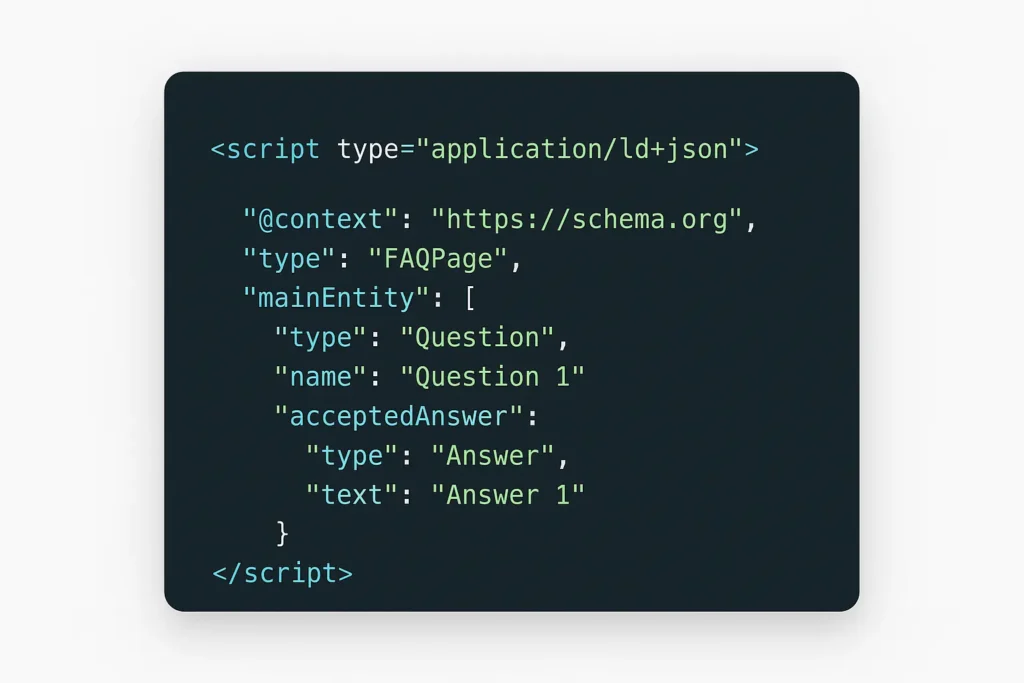
💡 Imagine your FAQs appearing directly on Google — that’s what schema can do! Think of these formats as the “languages” Google speaks fluently — choosing one and sticking to it helps your message come through loud and clear.
Validation
✔️ After implementation, it is best to monitor the Google Search Console for rich results or to fix any issues
Not sure you’re setting up RankMath or your schema correctly? Our SEO services include full RankMath optimization and technical setup, so you don’t have to guess.
FAQPage vs. QAPage: Which Schema Should You Use?
This is a common point of confusion, and Rank Math only builds FAQPage markup – so it’s worth knowing the difference before you implement it.
| FAQPage | QAPage |
| One single, authoritative answer per question | Multiple user-submitted answers per question |
| Written/controlled by the page owner | Community-driven (forums, Q&A sites) |
| What Rank Math’s FAQ block generates | Not supported by Rank Math’s built-in schema tools |
| Correct for a business FAQ, product FAQ, or blog FAQ section | Correct for a forum thread or community Q&A page |
👉 If your page has one clear answer per question written by you – which covers almost every WordPress FAQ section – FAQPage is the right choice, and Rank Math already builds it correctly. Don’t use FAQPage on a page where users submit competing answers; that’s a Google guideline violation, not just a technicality.
How FAQ Schema Enhances Google Search Visibility
Let us understand the impact on search results. 👀
💡 Structured data helps search engines to understand your FAQ content clearly and easily.
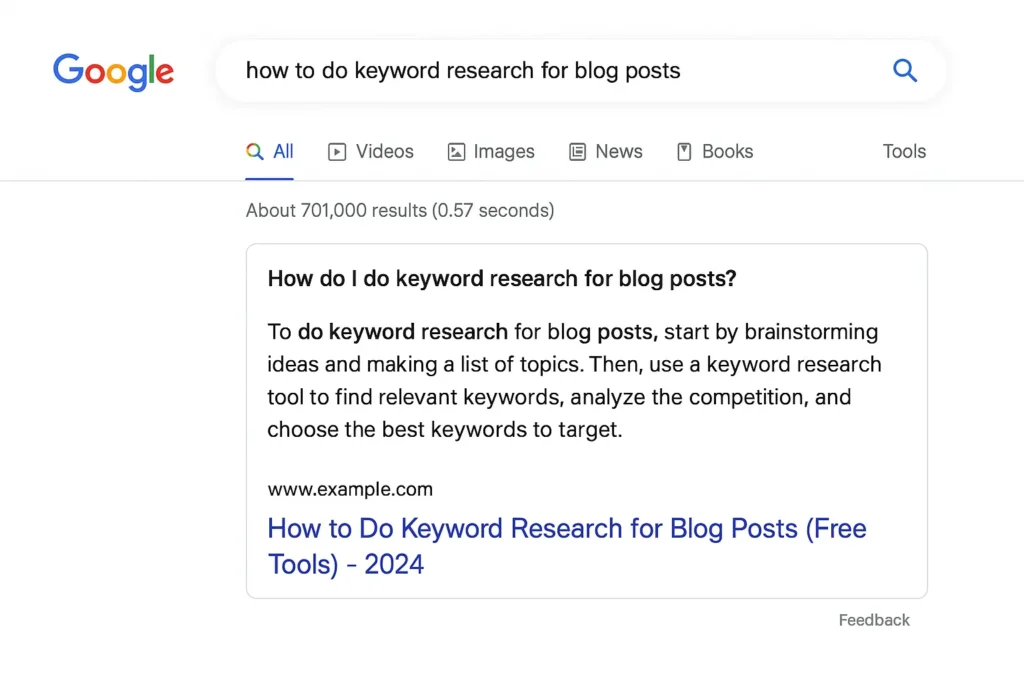
💡 Google exhibits expanded FAQ snippets as rich results, displaying questions and answers directly in the search results.
💡 When a user types a query, there are higher chances that your blog or website is picked. Google identifies the page with schema markup, and those sites are more likely to be picked as snippets.
💡 Google swiftly adapts its SERP to include the FAQ schema markup.
💡 Enhanced search visibility equals increased click-through rates (CTR), improved user experience, and higher potential for featured snippets.
⚠️ Typical Mistakes to Avoid
👉 Both the questions and answers can’t be inaccurate or deceptive.
👉 When you do not regularly update or keep your FAQs current.
👉 Never repeat the same questions and answers elsewhere on your page.
👉 Avoid errors like missing brackets and syntax errors in the format.
👉 Hiding FAQ answers behind tabs or collapsible sections.
👉 Overloading with excessive questions.
👉 Ignoring changes in search engine guidelines.
👉 Not testing the schema implementation step.
👉 Not reviewing and updating your FAQ schema regularly.
👉 Not using the latest version of Rank Math.
Avoiding these typical errors will undoubtedly help you increase your site’s visibility while adhering to search engine standards.
🔎 Evaluating and Verifying The Schema Markup
Now it’s time to validate for errors.
This step is really important as thorough testing and verification contribute to a better user experience.
This is done utilizing tools like Google’s Rich Results Test and Schema Markup Validator.
These tools improve search engine understanding, identify issues, provide solutions, implement them, and make the FAQ schema function properly.
Because when done right, this will create a web of success for you.
FAQ Schema—Why Does This Matter?
It does matter a lot because it gives clearer signals to the search engines about what your content is and increases the chances of being cited by AI systems like ChatGPT and Google’s AI overviews, which completely rely on structured data to understand and summarize.
The following are the benefits of FAQ Schema:
💡 Your site outranks competitors.
💡 This works even if your site is old or new and has no outbound links.
💡 Your site occupies more space in the search results.
💡 You earn trust from your customer before a click happens.
💡 Displays common customer questions and answers directly on the search results page.
💡 Maintains effectiveness and ensures compliance with search engine guidelines.
We hope you have understood the entire process and the benefits of the FAQ schema. Let us summarize and answer the most commonly asked questions for readers.
What exactly is FAQ schema, and how does it work?
FAQ schema markup is structured data that tells search engines your page contains a list of questions with direct answers, using the Schema.org FAQPage format.
What is the benefit of using FAQ Schema markup?
As of 2026, FAQ schema no longer produces the visible Google rich snippet dropdown. Its remaining value is helping search engines and AI systems parse your content more accurately – it’s a clarity signal, not a guaranteed visibility boost.
How do I verify that the FAQ schema is functioning correctly?
Validate your JSON-LD with Schema Markup Validator (validator.schema.org) to confirm it’s technically correct. Note that Google’s Rich Results Test is dropping FAQ support in June 2026, so it will no longer be a reliable verification tool for this schema type going forward.
Does FAQ schema still help SEO in 2026?
Indirectly. Google deprecated the FAQ rich result in May 2026, so it won’t earn you extra SERP space anymore. It can still help search engines and AI crawlers understand your content structure, and it doesn’t hurt your SEO to keep it in place.
What’s the difference between FAQPage and QAPage schema?
FAQPage is for a single authoritative answer per question, written by the page owner – this is what Rank Math generates. QAPage is for community pages where multiple users submit different answers to the same question.
Do I need Rank Math Pro to add FAQ schema?
No. Rank Math’s free version includes the FAQ block in the Block Editor, which generates valid FAQPage JSON-LD automatically. Rank Math Pro adds an Advanced Schema Generator with more schema types and more flexible field options, but it isn’t required for basic FAQ schema.
Will removing old FAQ schema hurt my rankings?
No. Google has confirmed that unused or non-rendering structured data doesn’t cause ranking problems. You can safely leave existing FAQ schema in place or remove it – neither choice affects your SEO.
📌 Most Read on Digistir360:
👉 Beginner SEO Guide – How to Rank on Google
👉 What Is Answer Engine Optimization (AEO)?
👉 Perfect Blog Structure for SEO
TL;DR
👉 FAQ Schema is a structured data markup that enhances search engine visibility by displaying FAQs as rich snippets in SERPs.
👉 FAQ schema is an SEO hack, as this makes search engines understand the FAQ content easily, raising user engagement and content visibility.
👉 Rank Math SEO plugin is used to implement FAQ Schema effortlessly. Steps include installing the plugin, activating the module, adding FAQ markup to posts, adding questions and answers, and finally validating.
👉 Implementing the best FAQ schema incorporates structuring FAQ content, addressing user pain points, and maintaining consistency in schema format like JSON-LD.
👉 Monitoring tools like Google Rich Console are advised to guarantee proper display of rich results and correct any validation problems post-implementation.
👉 FAQ schema markup improves Google search visibility.
👉 It is best to steer clear of common faults, including giving misleading information, disregarding search engine guidelines, not updating content, and making technical syntax issues.
👉 Evaluating and validating FAQ schema markup is essential for proper functionality, spotting issues, and optimizing SEO performance.
Overall FAQ schema boosts content interpretation even by AI systems, giving clear signals to the search engines and driving immense organic traffic.
Final Thoughts
Hope this tutorial on “How to Add FAQ Schema using Rank Math Plugin” has brought in a lot of insights.
Are you ready to,
▶️ Enhance your website content?
▶️ Facilitate better user engagement?
▶️ Want to see the results extra fast?
Then, marking up a well-crafted FAQ using the Rank Math plugin is your answer. Implement it right away!
Don’t just rank; get it framed in a snippet and stay ahead of your competitors.
💡 We hope this FAQ Schema tutorial helps you implement the process effortlessly and experience a visible boost in your site’s search visibility.
If you implement just one thing from this guide, let it be FAQ schema — it’s one of the fastest visibility wins in SEO today.
For official guidance, refer to Google’s FAQ Schema documentation and Schema.org’s FAQ Schema page to ensure proper implementation.
If this guide helped, read this next:
👉 Beginner: Keyword Research for Beginners
👉 Advanced: What Is Answer Engine Optimization (AEO)?