
If your business isn’t visible on Facebook, many potential customers may assume it doesn’t exist. A proper Facebook Business Page Setup isn’t optional — it’s a credibility checkpoint.
The good news? Setting it up the right way from day one puts you ahead of 80% of small businesses that rush the process.
Establishing a Facebook Business page setup is one of the smartest early steps you can take to grow your brand’s online presence.
A proper facebook business page setup helps your brand look professional, trustworthy, and ready to attract customers from day one.
With over 2.8 billion monthly active users, Facebook remains a powerhouse for businesses looking to connect, convert, and grow.
The first time I created a Facebook Business Page, I missed one small setting—and wondered why nobody was messaging me. That one fix changed everything.
This step-by-step guide will walk you through everything you need to create a fully optimized Facebook Business page setup in 2025 — including expert tips, visuals, and bonus resources to help you stand out in a crowded digital world.
Want more support for digital beginners? Start with the blog at Digistir360.com — your go-to hub for smarter growth, simplified marketing, and startup-friendly tools.
⚡ TL;DR – Quick Setup Summary
Consistent posting turns your page into a long-term growth asset
- A properly optimized Facebook Business Page builds instant credibility and discoverability.
- Choosing the correct category improves visibility in Facebook search.
- A strong CTA button directly impacts inquiries and conversions.
- Fully completed business details improve local search presence
A properly optimized Facebook Business Page Setup builds instant credibility and discoverability.
Table of Contents
✅ Why Your Facebook Business Page Matters
Your Facebook Business page setup isn’t just another profile — it’s your digital storefront. It helps:
- Build brand credibility
- Engage your audience directly
- Access advertising tools and analytics
- Boost visibility on search and social.
🔎 Personal Profile vs. Facebook Business Page
| Feature | Personal Profile | Business Page |
|---|---|---|
| Analytics & Insights | Limited | Full Insights Dashboard |
| Advertising Access | Not Available | Facebook Ads Access |
| Discoverability | Friend-based | Public & Searchable |
| CTA Buttons | No | Yes (Book, Call, Message, Shop) |
| Professional Credibility | Low | High |
Expert Insight: Facebook prioritizes business pages with complete information and consistent activity in search visibility. A properly optimized page increases your chances of appearing in both Facebook search and local discovery results.
Choosing the right category helps Facebook show your page to the right audience.
Want more beginner-friendly digital growth tactics? Check out our complete guide for digital beginners on Digistir360.
📘 Step-by-Step: How to Create a Facebook Business Page
This step-by-step facebook business page setup walkthrough ensures you don’t miss critical settings that impact visibility and engagement.
Step 1: Log Into Facebook to Create Your Business Page
(Start your Facebook Business Page Setup here)
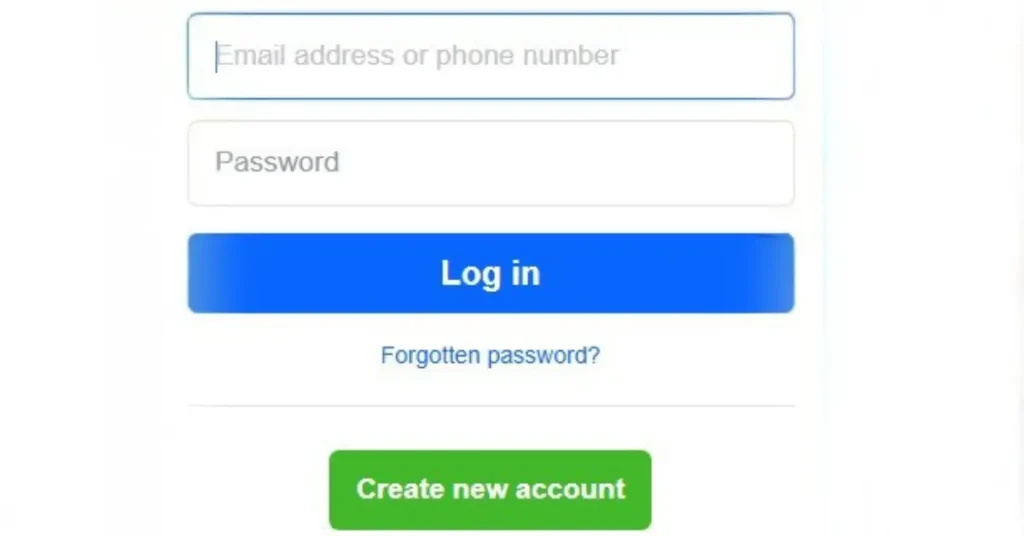
Before creating a business page, you must log into your personal Facebook account. Don’t worry — your personal details won’t appear on the business page.
- Go to facebook.com
- Enter your personal credentials
- Once logged in, proceed to the next step
🔍 Pro Tip: Open a clean browser window so you’re not distracted during setup.
Step 2: Access the “Pages” Section
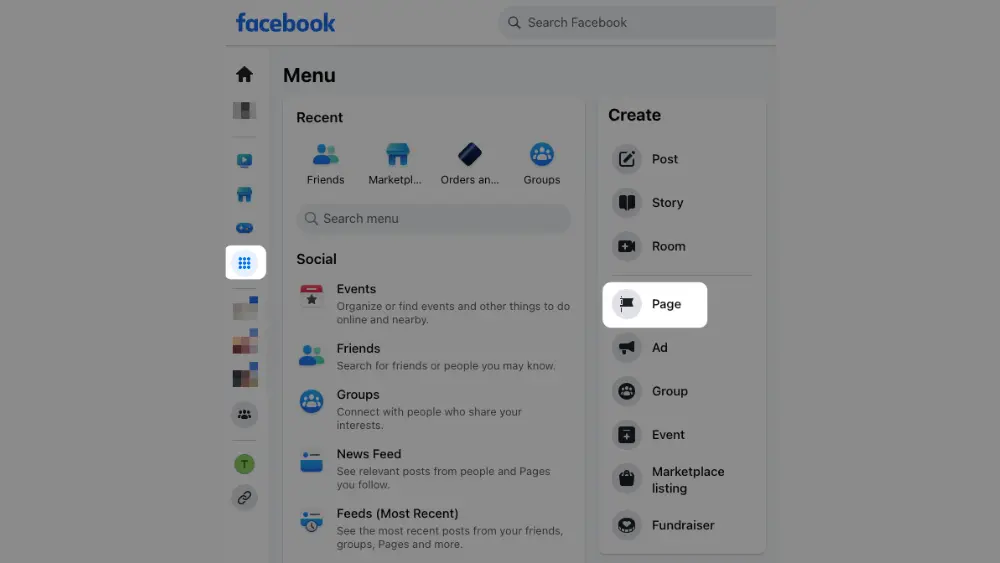
From your Facebook homepage:
- Look for “Pages” in the left-hand menu
- Can’t see it? Use the search bar to find it
- Click Create New Page to start building
This is where your business’s Facebook journey officially begins.
Step 3: Enter Your Business Information
You’ll now be asked to fill in:
- Page Name – Your exact business name
- Category – Choose from options like “Restaurant”, “Consulting”, or “Marketing Agency”
Choosing the right category helps Facebook show your page to the right audience.
- Description – Keep it short and highlight what sets you apart
📌 Consistency counts: Keep your name and branding identical across platforms for trust and recognition. If you’re just starting out, explore these free marketing tactics for small businesses.

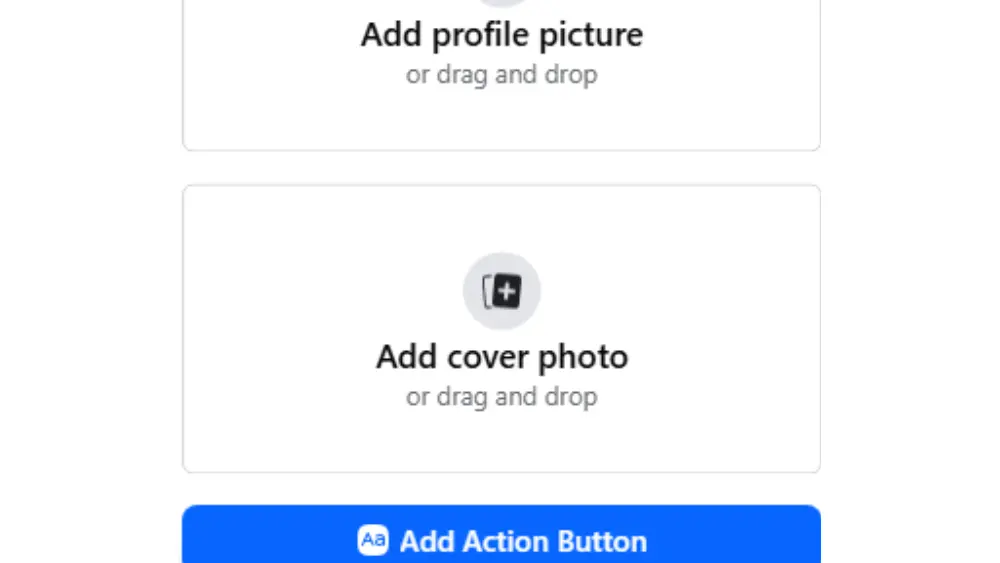
Step 4: Upload Profile and Cover Photos
Visuals are your first impression — make them count!
- Profile Picture – Ideally, your logo (at least 170×170 pixels)
- Cover Photo – A branded image (like a banner or service showcase)
🎨 Want to make your visuals pop? Use your brand colors and bold overlays to stand out in Facebook search results.
For more on visual branding and content strategy, don’t miss:
➡️ Why Content Marketing Still Makes a Big Impact for Small Business
Step 5: Complete Your Business Details
Adding full contact and business info builds credibility and trust:
- Business hours
- Website URL
- Email and phone number
- Location (if applicable)
✅ A fully filled page is more likely to appear in local search. Speaking of which, here’s how to boost your local SEO with simple, proven tips.
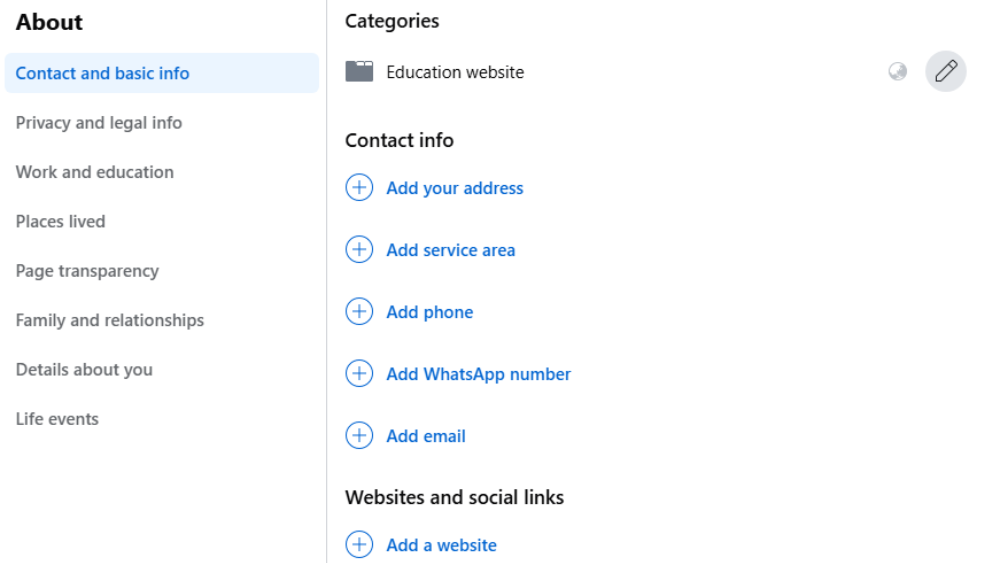
📊 Practical Insight: Pages with complete contact information are more likely to appear in local Facebook searches.
For example, a home services business that added updated hours and location details experienced higher message inquiries simply because customers could trust the information was accurate.
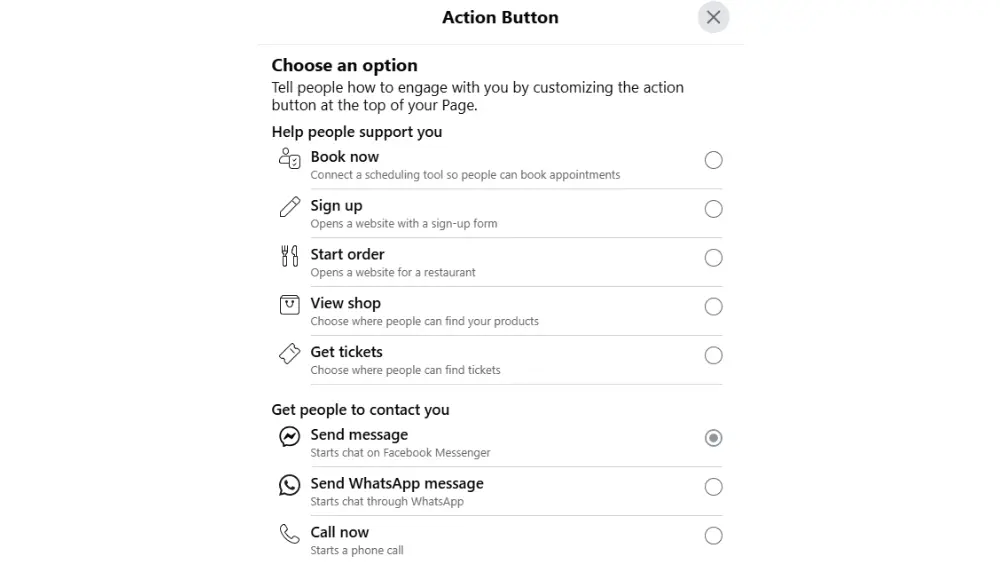
Step 6: Add a Call-to-Action (CTA) Button
Now, make your page interactive by encouraging visitors to take action.
- Click Add Action Button
- Choose options like:
- “Book Now”
- “Send Message”
- “Shop Now”
- “Contact Us”
💡 Match your CTA to your business goals — lead generation, sales, or customer support.
🔍 Real-World Example: A small local salon switched their CTA from “Learn More” to “Book Now” and saw a 32% increase in appointment requests within 30 days.
The right CTA removes friction and tells customers exactly what to do next.
Want to double your online networking impact? Learn to leverage LinkedIn networking for small businesses alongside Facebook for double the visibility.
Step 7: Publish Your Page
Almost there! When everything looks ready for your Facebook Business Page Setup:
- Click Publish
- Your page is now LIVE! 🎉
📣 Share your page across your website, email signature, and other social media platforms. For personal branding tips, check out our guide on unlocking the power of personal and business profiles.
🔧 Tips to Optimize Your Facebook Business Page
Set it up right? Great — now make it work for you:
- 📌 Pin important posts: Highlight promos, news, or lead magnets
- ⭐ Enable reviews: Build social proof through customer testimonials
- 📊 Use Insights: Analyze which posts work best
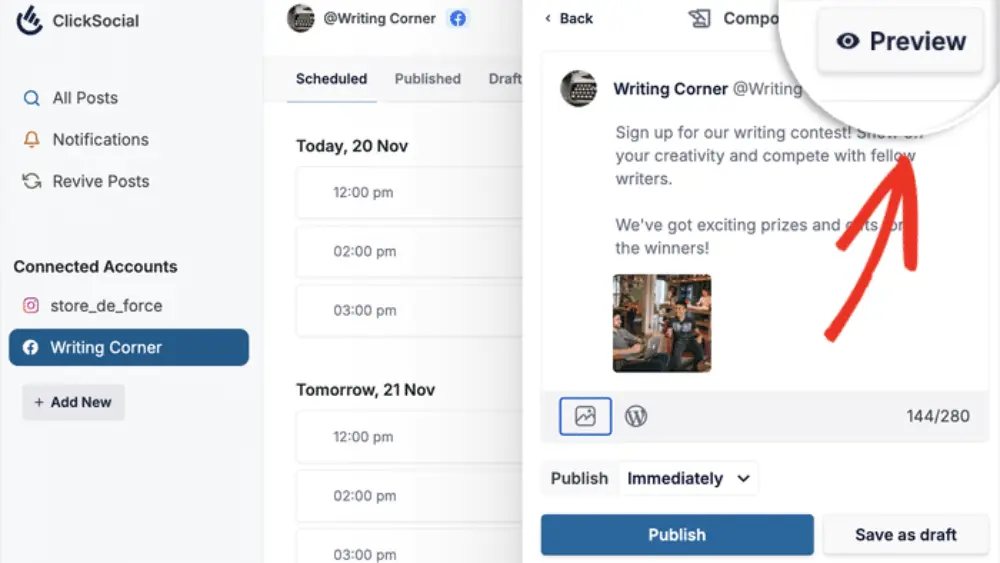
- 📅 Post consistently: Aim for 2–3 times a week
- Mix educational, promotional, and engaging posts
- Use branded templates to maintain consistency
Need inspiration? Our team rounded up free and affordable marketing tools to help you streamline posting and stay visible.
❓Frequently Asked Questions (FAQ)
Q1: What is the easiest way to create a Facebook Business Page?
A: Follow our Beginner’s Guide on Digistir360 for a simple 7-step process to set up your Facebook Business Page in minutes.
Tip: Always complete all profile fields during setup to avoid missing important visibility settings later.
Q2: Are there free marketing tactics to promote my business page?
A: Yes! Explore free and effective marketing tactics specifically tailored for small businesses on Digistir360. Posting consistently and engaging with comments also increases organic reach without paid ads.
Q3: How can I boost my local SEO after creating my page?
A: Check out these simple local SEO tips to help your Facebook page rank better locally. Make sure your business name, address, and phone number are consistent across all platforms to strengthen local SEO signals.
Q4: Why is content marketing important for small business pages?
A: Content builds trust and authority. Learn more in our article on Why Content Marketing Matters for Small Businesses. Consistent content posting also signals activity to Facebook’s algorithm, improving distribution.
Q5: Should I use my personal profile for business purposes?
A: Yes, strategically. Read this LinkedIn post on using personal profiles to grow your brand. However, avoid using your personal profile as your primary business presence — always direct traffic to your official business page.
Once your facebook business page setup is complete, consistent posting and optimization turn it into a long-term growth asset.
⚠️ Common Mistakes to Avoid
Even small setup mistakes can limit your page’s visibility and engagement. Watch out for:
- Choosing the wrong category
- Leaving business details incomplete
- Forgetting to add a CTA button
- Uploading low-quality or unbranded visuals
- Publishing without reviewing page settings
Pro Tip: After publishing, review your page as a visitor to ensure everything looks professional and clear.
🚀 Final Thoughts
Creating a Facebook Business Page is just the beginning of your online growth journey. With consistent content, smart call-to-actions, and ongoing optimization, your page becomes a powerful digital asset.
“You don’t need ads, a big budget, or fancy tools—just consistency and clarity.”
Ready to grow smarter, not harder? Dive into Digistir360.com — where small businesses and solo founders find simple, scalable digital marketing strategies that actually work.